
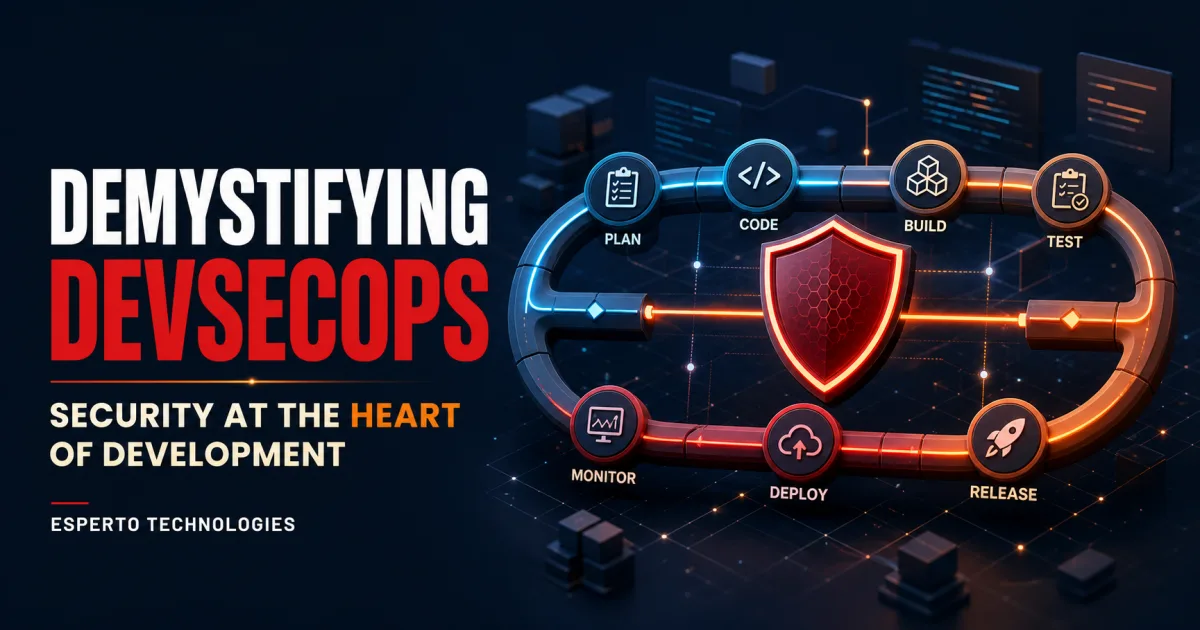
Security used to arrive near the end of software delivery: a review before release, a penetration test after most decisions were fixed, or an urgent response after a vulnerability reached production. That model struggles when teams ship several times a week—or several times a day.
DevSecOps integrates security into the way software is planned, developed, tested, released and operated. It is not a product, a scanner or a renamed security department. It is a working model in which development, operations and security share responsibility, automate repeatable controls and use continuous feedback to reduce risk without abandoning delivery speed.
What does DevSecOps mean?
DevSecOps combines development, security and operations. The important word is not the order of the terms; it is integration. Security requirements, design decisions, tests, evidence and incident learning must travel with the product throughout its lifecycle.
The NIST Secure Software Development Framework groups secure-development practices into four outcomes: prepare the organisation, protect the software, produce well-secured software and respond to vulnerabilities. NIST's current DevSecOps work demonstrates how those outcomes can be implemented in modern pipelines. The OWASP DevSecOps Guideline adds practical guidance for controls such as threat modelling, secrets management, static analysis, dependency analysis, infrastructure scanning and dynamic testing.
These frameworks are useful because they avoid a common mistake: treating DevSecOps as “install more scanners.” Tools matter, but tools without ownership, prioritisation and response processes simply generate more alerts.
DevOps vs DevSecOps
| Area | Traditional DevOps emphasis | DevSecOps approach |
|---|---|---|
| Planning | Features, delivery and reliability | Add security requirements, abuse cases and risk |
| Development | Code quality and functionality | Secure patterns, secrets controls and developer feedback |
| Build | Repeatable artefacts | Trusted dependencies, provenance and protected pipelines |
| Testing | Functional and performance tests | Risk-based security tests alongside quality tests |
| Release | Approval and deployment readiness | Policy gates, signed artefacts and evidence |
| Operations | Availability, performance and recovery | Security monitoring, vulnerability response and feedback |
DevSecOps does not replace DevOps. It expands the definition of product quality. A release is not healthy merely because it deploys successfully; it should also meet the security expectations appropriate to its data, users, exposure and business impact.
Why “shift left” is only half the story
“Shift left” means finding problems earlier, when remediation is usually cheaper and developers still have the relevant context. Examples include defining security acceptance criteria during planning, threat modelling before implementation, scanning code inside the editor and checking dependencies during pull requests.
But secure delivery must also “shift right.” Production supplies evidence that pre-release environments cannot: real attack traffic, unexpected user behaviour, configuration drift, new dependency disclosures and operational weaknesses. Runtime monitoring, incident response, patching and post-incident learning complete the loop.
A mature programme therefore moves security everywhere it adds useful feedback, not blindly left or right.
Security across the software delivery lifecycle
1. Plan: define risk before writing code
Classify the data and business process, identify applicable requirements, document security acceptance criteria and decide which risks need specialist review. Lightweight threat modelling asks what the system protects, who may attack it, where trust changes and what could go wrong.
Teams do not need a week-long workshop for every feature. A short review for a new payment flow, public API, file upload or privileged admin action can reveal design risks that no code scanner will understand.
2. Develop: make the secure path the easy path
Provide maintained authentication, authorisation, input-validation, logging and encryption patterns. Use peer review for sensitive changes, prevent credentials from entering repositories and give developers fast feedback through linters, secret detection and static application security testing.
Training works best when it is connected to the team's languages, frameworks and actual defects. Annual generic awareness cannot replace usable engineering standards.
3. Build: protect the pipeline and supply chain
CI/CD systems hold source code, deployment credentials and the ability to change production. Protect them with least privilege, branch controls, strong authentication, isolated runners, reviewed pipeline changes and short-lived credentials where possible.
Software composition analysis can identify known issues in third-party packages. Maintain an inventory or software bill of materials where the risk justifies it, pin and review important dependencies, and preserve provenance so teams can understand how a release was produced.
4. Test: combine complementary evidence
No single test sees every weakness. Static analysis inspects source or compiled code. Software composition analysis examines dependencies. Dynamic testing interacts with a running application. API tests validate authorisation and input behaviour. Infrastructure and container scanning examine the deployment environment.
Use tests according to architecture and risk. A public financial API needs different depth from an internal content page. Manual penetration testing remains valuable for business logic, chained attacks and high-impact releases that automation cannot reason about reliably.
5. Release and deploy: create evidence, not ceremony
A release policy should define what blocks deployment, what can proceed with documented acceptance and who owns exceptions. Protect artefacts from modification, separate sensitive environments, review infrastructure changes and keep a rollback path.
Good gates are specific and risk-based. Blocking every medium-severity alert regardless of exploitability encourages teams to bypass controls. Ignoring every alert until a quarterly review makes the pipeline decorative.
6. Operate: detect, respond and learn
Monitor signals that support action: suspicious authentication, privilege changes, unexpected outbound traffic, exposed secrets, abnormal errors and tampering with critical configuration. Establish vulnerability intake, triage, remediation targets and incident roles before an emergency.
Feed production findings back into requirements, tests and reusable components. If one authorisation defect escaped, add a regression test and examine similar routes—not just the reported line of code.
What belongs in a DevSecOps pipeline?
- Pre-commit: secret detection, formatting, linting and fast local checks.
- Pull request: peer review, SAST, dependency analysis, unit and security regression tests.
- Build: locked dependencies, isolated runners, artefact integrity and provenance.
- Test environment: DAST, API security tests, infrastructure and container checks.
- Release: policy evaluation, exception record, approval for high-risk changes and signed artefacts where appropriate.
- Production: monitoring, configuration assessment, vulnerability response and incident feedback.
The answer is not to run every tool on every commit. Keep fast checks close to developers, schedule slower tests appropriately and reserve specialist reviews for high-risk change. The pipeline should shorten the path from finding to fixing.
Who owns security in DevSecOps?
“Everyone owns security” is only helpful when responsibilities are explicit. Product leaders should fund and prioritise risk work. Developers should follow secure patterns and remediate defects. Platform teams should protect build and deployment systems. Operations should monitor and respond. Security specialists should define policy, enable teams, review high-risk design and help interpret complex findings.
Security champions can connect these groups, but they should not become unpaid miniature security departments. Give champions training, time, escalation paths and recognition.
Common DevSecOps mistakes
- Buying tools before defining outcomes. Start with risks and bottlenecks, then choose automation.
- Turning on every rule. Excess noise destroys trust. Tune tools to the codebase and threat model.
- Measuring vulnerability counts alone. More testing can increase counts even while risk management improves.
- Ignoring the pipeline itself. A protected application built by an exposed CI/CD system is not secure.
- Creating security-only gates. Developers need context, ownership and a practical remediation path.
- Equating compliance with security. Evidence supports assurance, but passing a checklist does not prove resilience.
Metrics that support better decisions
Measure outcomes and flow rather than activity for its own sake. Useful indicators can include time to remediate by risk, percentage of critical repositories with protected branches, dependency update age, repeat vulnerabilities, time from disclosure to triage, coverage of threat models for high-risk systems and the percentage of findings detected before production.
Track false-positive burden and developer wait time too. A control that theoretically reduces risk but routinely blocks safe work may need redesign. Metrics should reveal where the system needs improvement, not become targets that teams learn to game.
A practical 90-day DevSecOps roadmap
Days 1–30: understand and stabilise
- Map repositories, pipelines, environments, owners and critical data.
- Define severity, remediation and exception rules.
- Protect source control and CI/CD administration.
- Establish secrets handling and vulnerability intake.
Days 31–60: automate the highest-value checks
- Add secret scanning, dependency analysis and a tuned static-analysis baseline.
- Create secure templates for common application patterns.
- Threat-model one high-risk service and convert findings into work.
- Connect alerts to named owners with clear remediation guidance.
Days 61–90: close the feedback loop
- Add dynamic, API, infrastructure or container tests where architecture demands them.
- Define risk-based release gates and an auditable exception process.
- Run an incident exercise and improve monitoring gaps.
- Review metrics, remove noisy controls and plan the next maturity step.
DevSecOps is a product capability
CISA's secure-by-design guidance encourages software producers to take responsibility for customer security outcomes. That principle changes the conversation: security is not only an internal compliance cost; it is part of product reliability, customer trust and engineering quality.
The most effective DevSecOps programmes are usually unremarkable in daily use. Secure templates are available, feedback arrives quickly, risky changes receive deeper attention, exceptions are visible and incidents improve the system. Security becomes part of how good software is made.
Frequently asked questions
Does DevSecOps slow development down?
Poorly designed controls can. Well-designed DevSecOps reduces late rework, gives developers faster feedback and applies deeper review only where risk warrants it.
Is DevSecOps only for large enterprises?
No. Small teams can begin with protected repositories, dependency updates, secrets controls, secure defaults and a clear response process. Maturity should match risk and resources.
Is a security scanner enough?
No. Scanners cannot replace secure design, ownership, manual reasoning, protected infrastructure, incident response or risk decisions.
What is the difference between DevSecOps and secure SDLC?
A secure SDLC defines security throughout software development. DevSecOps applies that goal within collaborative, automated and continuously delivered DevOps environments. The concepts overlap substantially.
Where should a team start?
Protect source control and pipelines, stop secrets from entering code, establish dependency visibility and choose one high-risk application workflow for threat modelling and targeted testing.